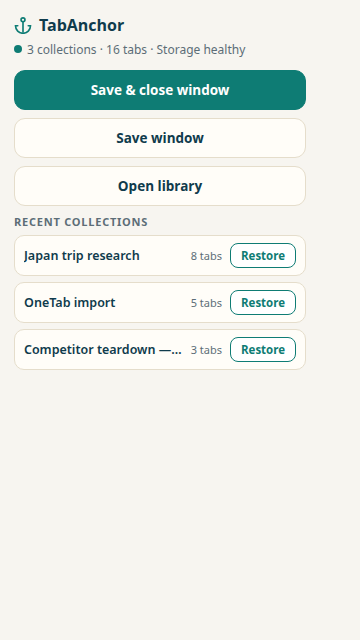
TabAnchor saves your working sessions — whole windows, with their tab groups, order and pins — and quietly records your open windows as you work. Closed the wrong window? Browser crashed? Power cut? Your desk is exactly where you left it.
Free forever · No account · Nothing leaves your device
OneTab has 2 million users — and its Chrome Web Store reviews tell a familiar story: "lost all my tabs after the update" is the complaint that comes up again and again. TabAnchor is the same simple idea, engineered like losing data is not an option — because it isn't.
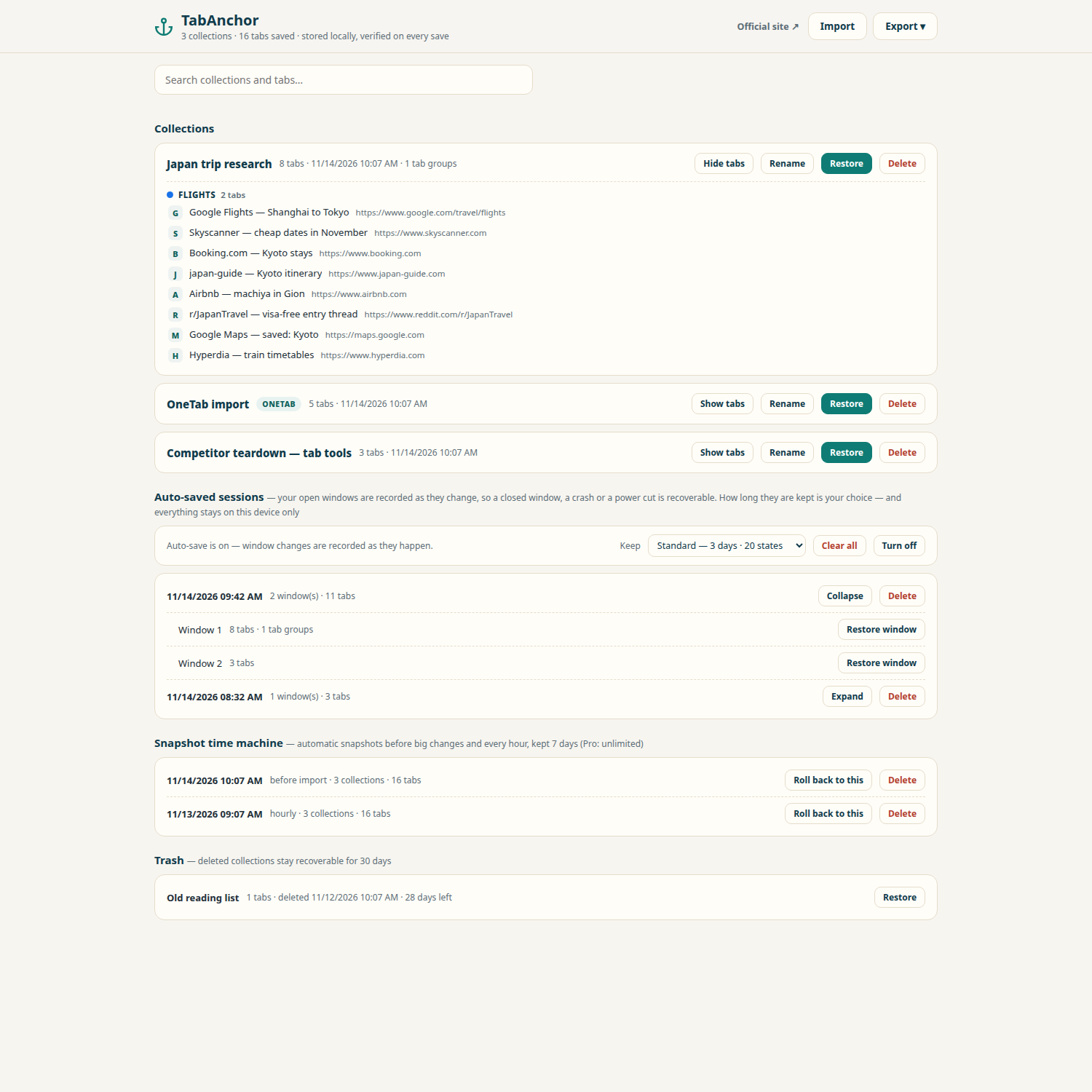
Park a whole window as a collection and close it to free memory. The save is written twice and read back verified before a single tab closes — if the save fails, nothing closes.
Windows come back with tab groups (names, colours, collapsed state), pinned tabs and order intact. Restored tabs sleep unloaded until you click them, so a 60-tab window doesn't freeze your browser.
Your open windows are recorded as they change — after things settle, never mid-chaos. Pick how long to keep the net: 1 day, 3 days, or (Pro) 7. Delete any record, any time.
Before every big change, and every hour, your library is snapshotted. Roll the whole library back 7 days free — Pro keeps unlimited history.
Your library lives in two independent on-device stores that mirror each other. If one is corrupted, the other repairs it automatically. Saves are checksum-verified the moment they're written.
Deleted collections sit in a 30-day trash, fully restorable. And anything TabAnchor records — sessions, snapshots — can be deleted by you, immediately, forever.
Bookmarks are a filing cabinet. History is a receipt pile. A session is your desk — the arrangement is the value.
End of the day, a project, a trip plan: save the whole window as one collection, close everything, start clean tomorrow.
One click brings the desk back — same windows, same groups, same order. Pages load when you reach for them, not before.
Didn't save? The auto-save net has the state from minutes ago. Misclicks, crashes and updates stop being disasters.
TabAnchor imports your existing lists with a preview before anything is written — and because OneTab's format is plain text, you can try the importer right in the extension, no commitment.
Export URLs in OneTab, paste into TabAnchor, preview, confirm. Groups and titles come across.
Bring your JSON backup; collections, folders and order are preserved.
Export your Toby JSON and import it the same way — lists become collections.
No account. No "free plan" that quietly caps you at 60 tabs. The free version is the whole safety story — nothing essential is locked away. Pro is in development for people who want a longer memory and more automation.
Pro isn't on sale yet — join the waitlist and you'll be the first to know, pricing included.
This section is also TabAnchor's privacy policy for the Edge Add-ons store and the Chrome Web Store.
TabAnchor stores everything on your device. There is no server, no account, and no analytics. We cannot see your tabs, and neither can anyone else through us.
Only in your browser, on your machine, in two mirrored local stores. There is no TabAnchor server. If you uninstall the extension, the data is gone — export first if you want a copy.
The windows, the tabs (URLs), their order, pinned tabs, and Chrome tab groups with names, colours and collapsed state. Restored tabs stay asleep until clicked. What no tool can bring back is a page's inner state — half-typed form text, scroll position, a paused video's timestamp. Anyone who promises that is selling you something.
OneTab is a fine list-maker, but it keeps your list in a single store that is never verified after writing — if that one copy breaks, the list is gone. TabAnchor writes every save twice, verifies it by checksum, repairs itself from its mirror, snapshots your library hourly, and records your open windows automatically so even unsaved work survives a crash.
No. Restores place tabs in a sleeping (discarded) state — they use no memory until clicked. Auto-save records a lightweight list of URLs after your tabs settle, not page contents.
Microsoft Edge today — get it from the Edge Add-ons store above. The same build runs in Chrome and other Chromium browsers, and a Chrome Web Store listing is on the way. A Firefox edition is on the roadmap.
Pro is in development — longer auto-save retention, unlimited snapshots, encrypted backups, automation rules and more. It isn't on sale yet, and pricing will be announced at launch. Join the waitlist above and you'll be the first to know.
Still have a question — or an idea for TabAnchor?
Send feedback